Deposit in Vault
About
Users can provide liquidity to Levva pools / vaults and earn fees from borrowers.
Step-by-step guide
- Click “Earn” on the main screen of the app
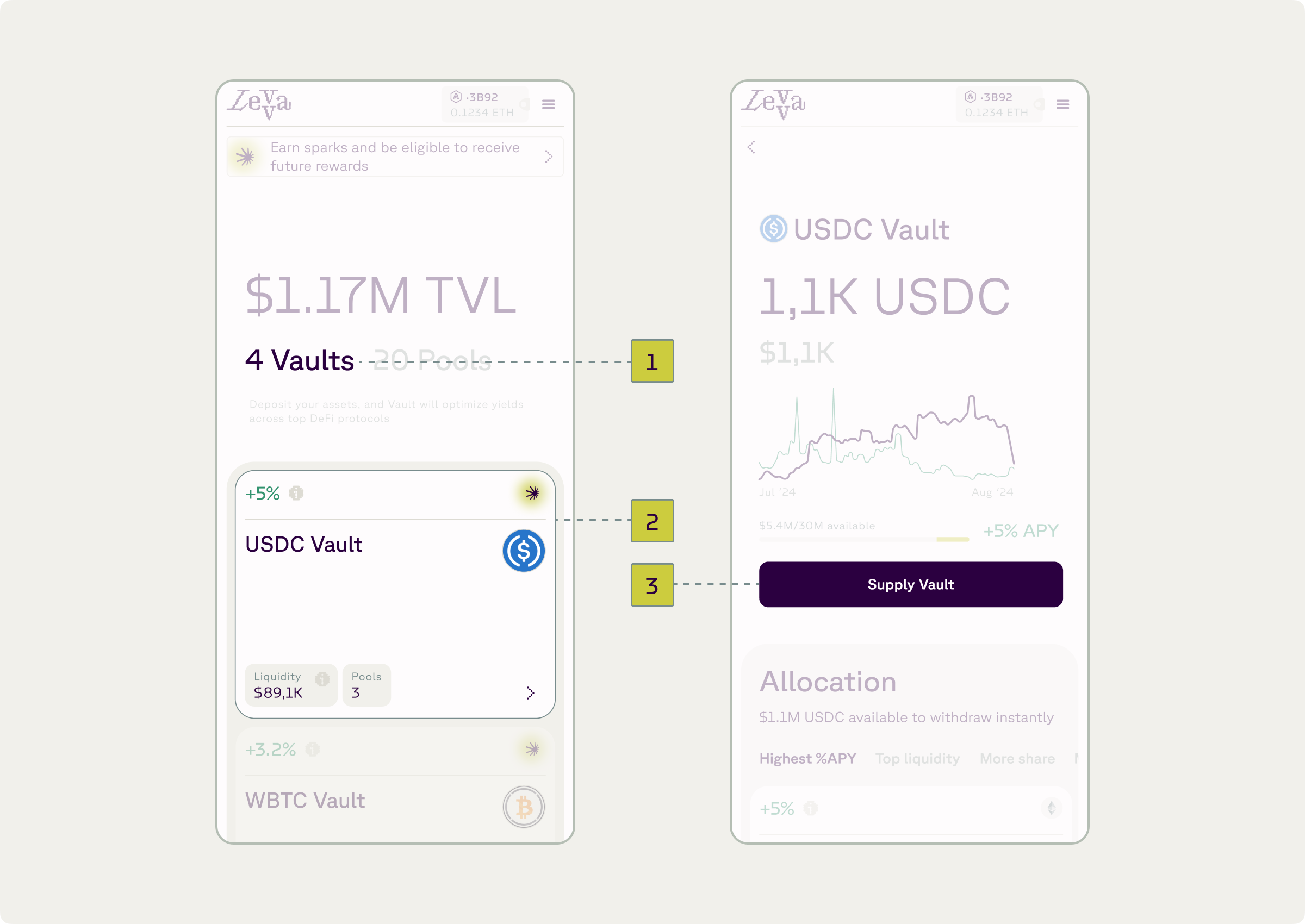
- Click “Vaults” (1)
- Click on Vault which one you want to supply (2)
- Click “Supply Vault” (3)
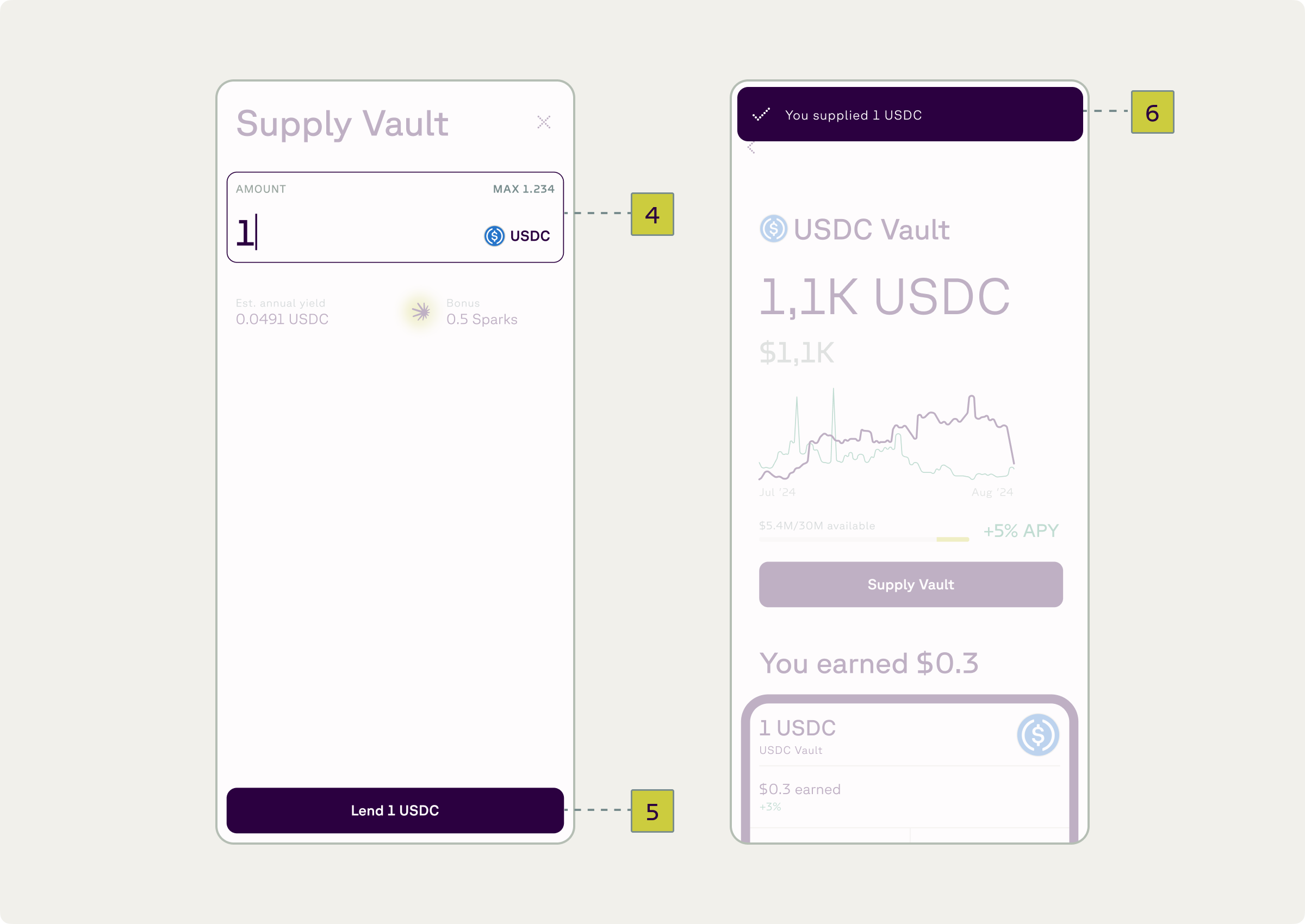
- Input desired amount (4) and press “Approve” (5)
- Sign transaction in wallet
- Receive confirmation (6)