Add Liquidity
About
Users can add more liquidity to Levva pools / vaults
Step-by-step guide
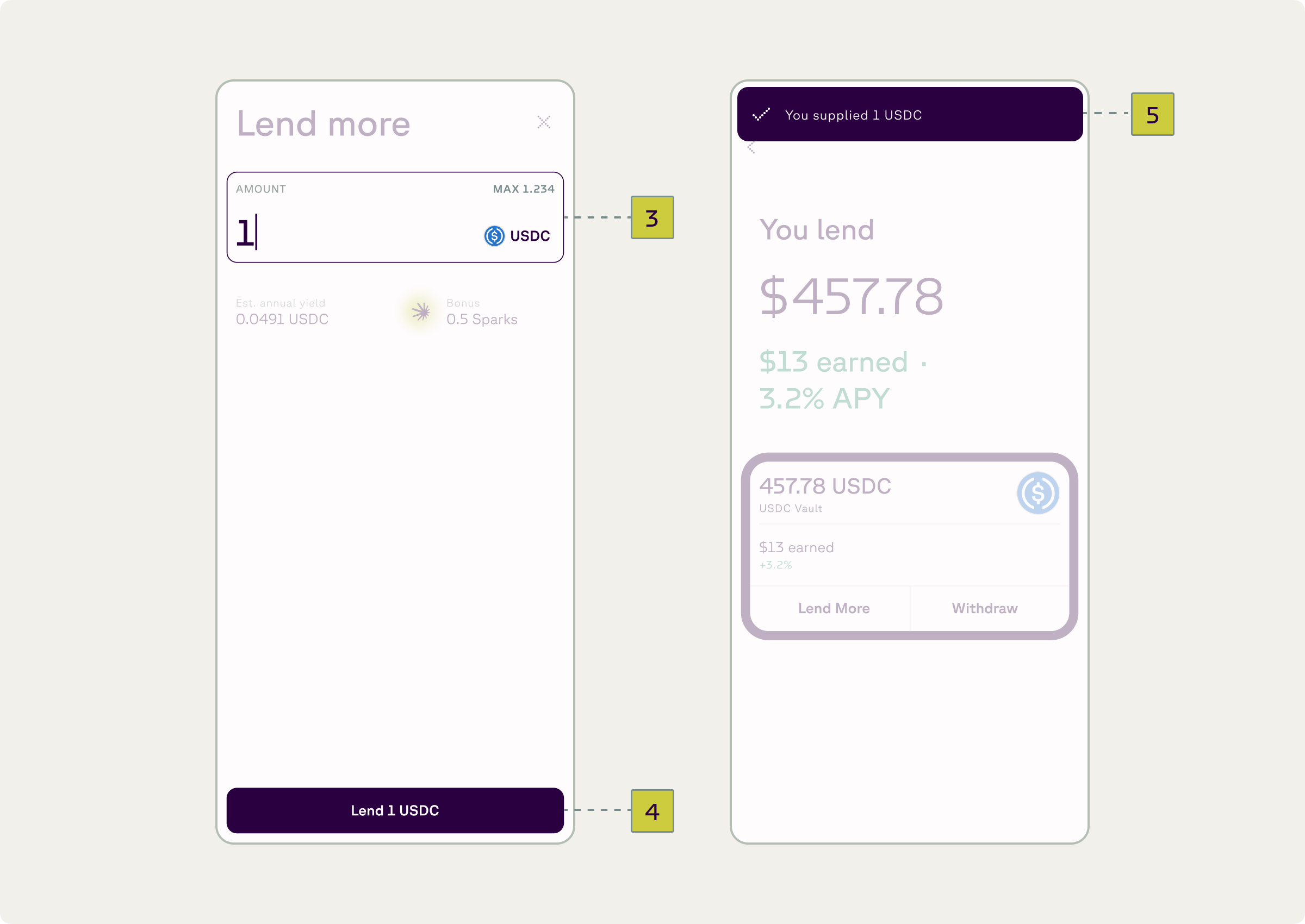
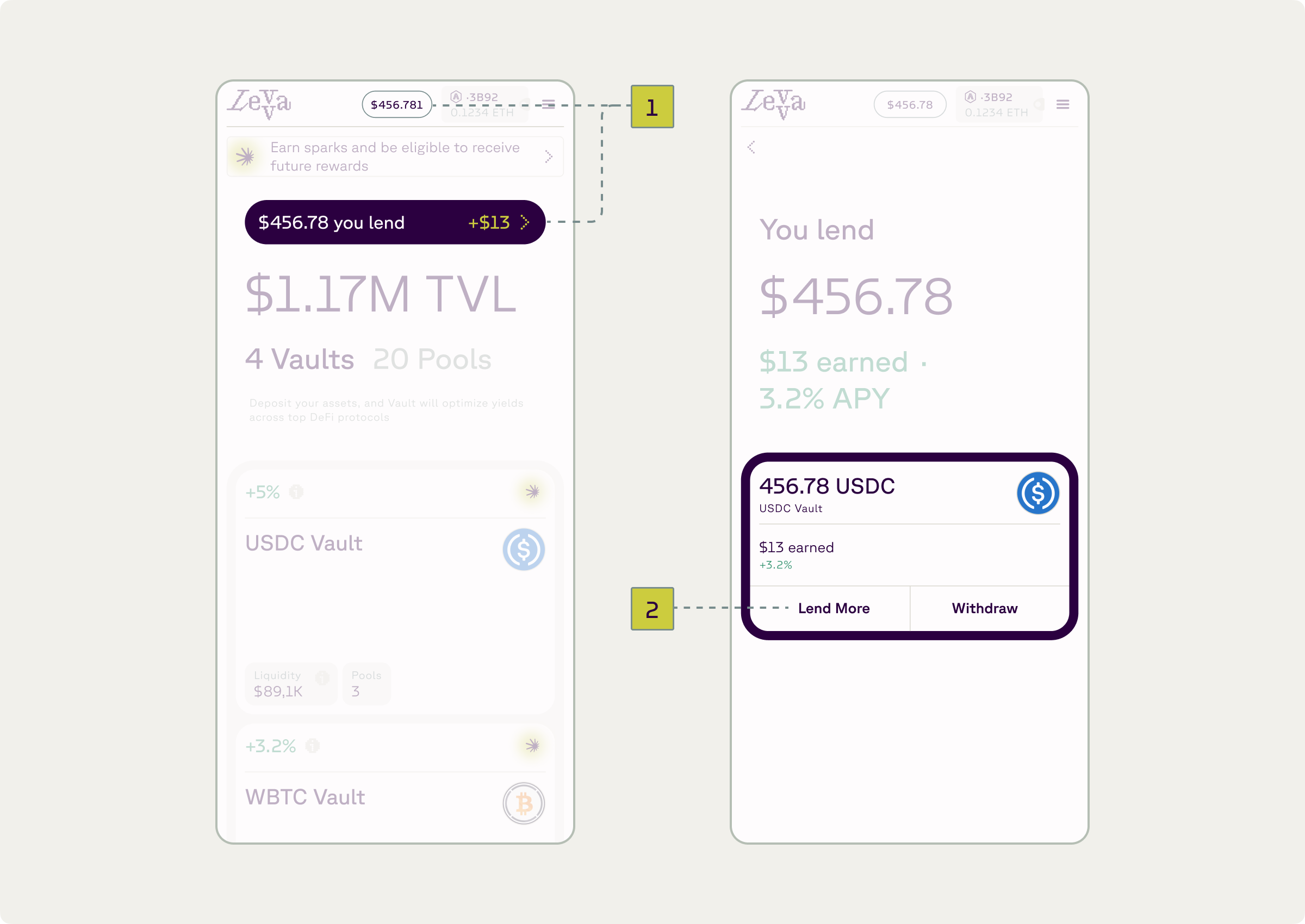
- Go to “You lend” by clicking on your balance (1)
- Select your lending position and click “Lend more” (2)
- Input amount (3) and click “Approve” (4)
- Sign transaction in wallet
- Receive confirmation (5)